Connect Any SMTP Provider to WordPress: 3 Proven Ways to Build Custom Mailers
If you need to connect any SMTP provider to WordPress, relying on WordPress’s default wp_mail() behavior—which falls back to PHP’s mail() function—quickly becomes a bottleneck. Shared hosts frequently throttle PHP mail(), and major inbox providers often reject unauthenticated messages as spam. Switching to a dedicated mailer fixes deliverability, until your email service isn’t on your SMTP plugin’s built-in list.
Whether you run a self-hosted Postfix relay, route mail through an internal company gateway, or integrate a regional transactional email API, you still want centralized email logs, routing rules, automatic fallback, and failure alerts.
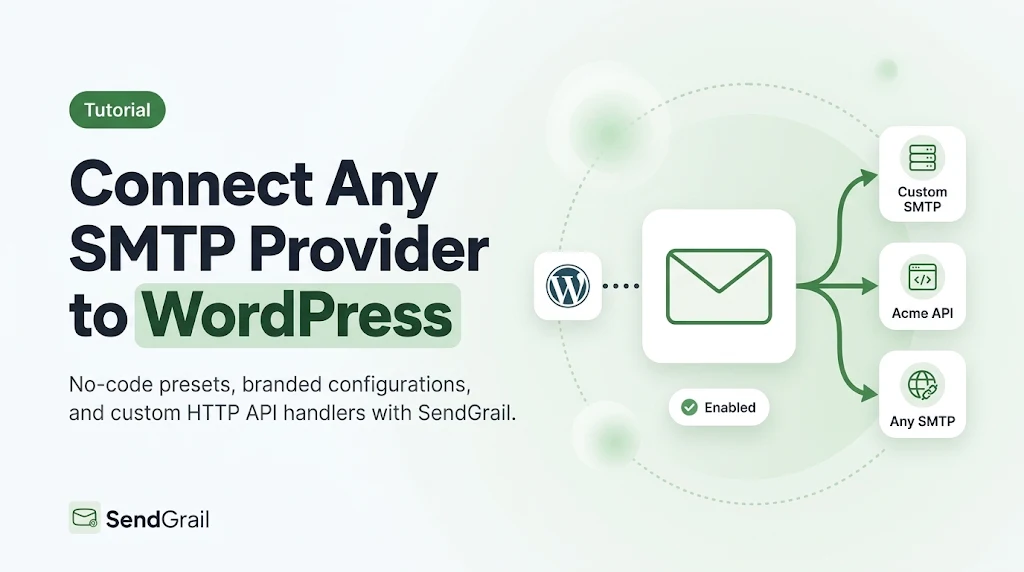
SendGrail SMTP gives you three ways to connect any SMTP provider to WordPress without editing core plugin files:
- No-code SMTP: Use the Other SMTP connection with any host, port, encryption mode, and credentials.
- Branded SMTP preset add-on: Register a pre-configured SMTP provider so site admins or client teams only enter credentials.
- Custom email API add-on: Register an HTTP API provider with a dedicated PHP handler class that sends messages over HTTPS.
Every provider you register inherits SendGrail’s full delivery pipeline—including email logging, open and click tracking, conditional routing, fallback connections, and failure notifications—and survives future SendGrail updates untouched.
Which Method Should You Use to Connect Any SMTP Provider to WordPress?
| Approach | Best For | Code Required? | Custom Handler Needed? |
|---|---|---|---|
| Option 1: Other SMTP | Connecting a single SMTP server or testing a custom relay quickly | No | No |
| Option 2: Branded SMTP Preset | Agencies or teams rolling out a standard SMTP relay across multiple WordPress sites | Minimal (one plugin file) | No (reuses SendGrail’s SMTP handler) |
| Option 3: Custom API Add-on | Providers with an HTTPS REST API, custom regions, or provider-specific message IDs | Yes (modular add-on plugin) | Yes (AbstractHandler subclass) |
Option 1: Connect Any SMTP Provider to WordPress Without Writing Code
When your mail service provides an SMTP hostname, port, and login credentials, you can connect any SMTP provider to WordPress in under two minutes using SendGrail’s built-in Other SMTP connection.
- In your WordPress admin dashboard, go to SendGrail → Connections → Add Connection.
- Select Other SMTP.
- Enter your SMTP server configuration:
| Setting | What to Enter |
|---|---|
| SMTP Host | Your mail server hostname (for example, smtp.example.com) |
| Port | 587 for TLS (most common), 465 for SSL, or 25 for unencrypted traffic |
| Encryption | Choose TLS, SSL, or None to match your chosen port |
| Username / Password | Your SMTP account or relay credentials |
| From Email | A sender address on a domain verified with your provider |
- Save the connection and click Send Test Email to verify delivery.
Store SMTP Credentials in wp-config.php
SendGrail encrypts credentials entered in the dashboard before saving them to the database. If you deploy via Git or inject secrets through environment variables and prefer not to store credentials in the database, set Credential Storage to wp-config.php Constants on the connection and define the required constants in wp-config.php:
define('SENDGRAIL_SMTP_HOST', 'smtp.example.com');
define('SENDGRAIL_SMTP_PORT', 587);
define('SENDGRAIL_SMTP_ENCRYPTION', 'tls');
define('SENDGRAIL_SMTP_USERNAME', 'apikey');
define('SENDGRAIL_SMTP_PASSWORD', getenv('SMTP_PASSWORD'));
SendGrail only reads these constants when wp-config.php Constants is selected for that connection.
For full field details, see the Other SMTP connection guide.
When to Build a Custom Add-on Instead
Move to Option 2 or Option 3 when:
- You manage multiple sites and want a reusable preset instead of re-entering host and port details manually.
- Your provider offers an HTTP API over port 443, avoiding outbound SMTP port blocks (such as port 587) and returning structured delivery IDs and faster responses.
- You want a custom provider name, icon, help text, or extra fields (such as regional API endpoints) in the connection picker.
How SendGrail’s Provider Extension API Works
Extending SendGrail revolves around two WordPress filters, following standard WordPress Plugin API hooks:
| Filter Hook | Return Value | Purpose |
|---|---|---|
sendgrail/register_providers | [slug => config] | Defines the provider preset: display name, type (smtp or api), icon, default settings, form field behavior, and help text |
sendgrail/register_mail_handlers | [slug => FQCN] | Maps the provider slug to a PHP handler class responsible for delivering the email |
Keep these architectural rules in mind when building an add-on:
- Additive registration only: Built-in providers always take precedence on slug collisions. An add-on cannot override built-in slugs such as
sendgridorgmail. - Strict validation: SendGrail validates provider configs against an allowlist and drops unknown keys or invalid configurations rather than partially loading broken configs. Handler classes are only used if they exist and implement
SendGrail\App\Mail\Handlers\HandlerInterface. - Hook on
plugins_loadedat priority1: SendGrail caches registered providers and handlers on first read, which can happen early duringplugins_loaded. - Check
SENDGRAIL_EXTENSION_APIinside the callback: WordPress loads plugins alphabetically by directory name, so your add-on may load beforesendgrail/. CheckSENDGRAIL_EXTENSION_APIinside yourplugins_loadedcallback rather than at the top level of your file. This integer increments only when the extension contract changes, making it safer than checkingSENDGRAIL_VERSION.
When wp_mail() runs, SendGrail hooks pre_wp_mail, resolves the active or routed connection, and passes a populated PHPMailer instance to your handler. Your handler focuses on delivery and returns a MailResult, while SendGrail manages logging, tracking, fallback retries, and failure alerts.
Option 2: Build a Branded SMTP Preset Add-on
If you want team members or client site admins to connect any SMTP provider to WordPress using a pre-configured company relay—and only supply credentials—you do not need a custom mailer class. You can register an SMTP preset and reuse SendGrail’s SmtpHandler.
Create wp-content/plugins/acme-relay-for-sendgrail/acme-relay-for-sendgrail.php:
<?php
/*
 * Plugin Name: Acme Relay for SendGrail
 * Description: Adds Acme Relay as a pre-configured SMTP provider in SendGrail SMTP.
 * Version: 1.0.0
 * Requires PHP: 8.0
 * Requires Plugins: sendgrail
 */

defined('ABSPATH') || exit;

add_action('plugins_loaded', function () {
    if (!defined('SENDGRAIL_EXTENSION_API') || SENDGRAIL_EXTENSION_API < 1) {
        return;
    }

    add_filter('sendgrail/register_providers', function (array $providers) {
        $providers['acme-relay'] = [
            'name'        => 'Acme Relay',
            'type'        => 'smtp',
            'priority'    => 10,
            'note'        => 'Company mail relay for all client sites.',
            'from_hint'   => 'Use an address on a domain verified in the Acme Relay panel.',
            'host'        => 'smtp.acme-relay.example',
            'port'        => 587,
            'encryption'  => 'tls',
            'auth'        => true,
            'auto_tls'    => true,
            'return_path' => true,
            'constants'   => [
                'username' => 'SENDGRAIL_ACME_RELAY_USERNAME',
                'password' => 'SENDGRAIL_ACME_RELAY_PASSWORD',
            ],
            'fields'      => [
                'host'       => ['locked' => true],
                'port'       => ['locked' => true],
                'encryption' => ['hidden' => true],
                'auth'       => ['hidden' => true],
                'auto_tls'   => ['hidden' => true],
                'password'   => ['hint' => 'Ask the IT team for this site\'s relay password.'],
            ],
        ];

        return $providers;
    });

    add_filter('sendgrail/register_mail_handlers', function (array $handlers) {
        $handlers['acme-relay'] = \SendGrail\App\Mail\Handlers\SmtpHandler::class;

        return $handlers;
    });
}, 1);
Key Details for SMTP Presets
Requires Plugins: sendgrail(WordPress 6.5+) prevents activating the add-on unless SendGrail is installed.fieldscustomization: Uselockedto display a fixed value without allowing edits,hiddento omit unnecessary fields from the form, andlabel,hint, ordefaultto tailor field copy.constantsprefix rule: Constant names inconstantsmust begin withSENDGRAIL_. Any constant name without theSENDGRAIL_prefix is ignored so add-ons cannot read unrelated constants such asDB_PASSWORD.- Sanitized text fields: Strings such as
name,note,from_hint, and field labels pass throughsanitize_text_field(), which strips angle brackets (<and>). Avoid writing angle-bracket placeholders like@<domain.com>in text fields.
Option 3: Build a Custom Email API Provider Add-on
For providers with an HTTPS API, a custom handler lets you send JSON payloads, choose regional endpoints, and store the provider’s message ID in SendGrail’s logs.
Below is a clean, modular structure for a sample Acme Mail add-on with an API key field and a US / EU region selector:
acme-mail-for-sendgrail/
├── acme-mail-for-sendgrail.php   # plugin header, constants, autoloader, boot hook
├── includes/
│   ├── Plugin.php                # checks SendGrail compatibility and registers filters
│   ├── Provider.php              # defines provider config and handler mapping
│   └── AcmeMailHandler.php       # sends messages to the Acme Mail HTTP API
├── assets/acme-mail.svg          # icon displayed in SendGrail's provider picker
└── languages/
Because connections, credentials, settings, and email logs are managed by SendGrail, this add-on requires no build step, no custom database tables, and no uninstall.php file.
Step 1: Create the Main Plugin File (acme-mail-for-sendgrail.php)
<?php
/*
 * Plugin Name: Acme Mail for SendGrail
 * Description: Adds Acme Mail as a custom HTTP API provider inside SendGrail SMTP.
 * Version: 1.0.0
 * Requires at least: 6.0
 * Requires PHP: 8.0
 * Requires Plugins: sendgrail
 * License: GPL-2.0-or-later
 * Text Domain: acme-mail-for-sendgrail
 * Domain Path: /languages
 */

defined('ABSPATH') || exit;

define('ACME_MAIL_VERSION', '1.0.0');
define('ACME_MAIL_URL', plugin_dir_url(__FILE__));
define('ACME_MAIL_MIN_EXTENSION_API', 1);

spl_autoload_register(function ($class) {
    $prefix = 'AcmeMail\\';

    if (strpos($class, $prefix) !== 0) {
        return;
    }

    $relative = substr($class, strlen($prefix));

    // Reject path traversal sequences or unexpected characters in class names.
    if (!preg_match('/^[A-Za-z0-9_\\\\]{1,128}$/', $relative)) {
        return;
    }

    $path = __DIR__ . '/includes/' . str_replace('\\', '/', $relative) . '.php';

    if (is_readable($path)) {
        require $path;
    }
});

add_action('init', function () {
    load_plugin_textdomain(
        'acme-mail-for-sendgrail',
        false,
        dirname(plugin_basename(__FILE__)) . '/languages'
    );
});

add_action('plugins_loaded', [AcmeMail\Plugin::class, 'boot'], 1);
Step 2: Check SendGrail Availability (includes/Plugin.php)
<?php

namespace AcmeMail;

defined('ABSPATH') || exit;

class Plugin
{
    public static function boot(): void
    {
        if (!self::hostSupported()) {
            add_action('admin_notices', [self::class, 'renderRequirementNotice']);

            return;
        }

        add_filter('sendgrail/register_providers', [Provider::class, 'register']);
        add_filter('sendgrail/register_mail_handlers', [Provider::class, 'registerHandler']);
    }

    private static function hostSupported(): bool
    {
        return defined('SENDGRAIL_EXTENSION_API')
            && (int) SENDGRAIL_EXTENSION_API >= ACME_MAIL_MIN_EXTENSION_API;
    }

    public static function renderRequirementNotice(): void
    {
        if (!current_user_can('activate_plugins')) {
            return;
        }

        $message = defined('SENDGRAIL_VERSION')
            ? __('Acme Mail for SendGrail requires a newer version of SendGrail SMTP.', 'acme-mail-for-sendgrail')
            : __('Acme Mail for SendGrail requires SendGrail SMTP to be installed and active.', 'acme-mail-for-sendgrail');

        printf('<div class="notice notice-warning"><p>%s</p></div>', esc_html($message));
    }
}
Step 3: Register the Provider and Extra Fields (includes/Provider.php)
<?php

namespace AcmeMail;

defined('ABSPATH') || exit;

class Provider
{
    public const SLUG = 'acmemail';

    /**
     * @param array<string, array<string, mixed>> $providers
     * @return array<string, array<string, mixed>>
     */
    public static function register(array $providers): array
    {
        $providers[self::SLUG] = [
            'name'         => 'Acme Mail',
            'type'         => 'api',
            'key_store'    => 'db',
            'priority'     => 50,
            'docs_url'     => 'https://example.com/docs/acme-mail-for-sendgrail',
            'icon_url'     => ACME_MAIL_URL . 'assets/acme-mail.svg',
            'note'         => 'Transactional email delivery over the Acme Mail HTTPS API.',
            'from_hint'    => 'Use a From address belonging to a domain verified in your Acme Mail dashboard.',
            'constants'    => [
                'password' => 'SENDGRAIL_ACME_API_KEY',
            ],
            'fields'       => [
                'host'       => ['hidden' => true],
                'port'       => ['hidden' => true],
                'encryption' => ['hidden' => true],
                'auth'       => ['hidden' => true],
                'auto_tls'   => ['hidden' => true],
                'username'   => ['hidden' => true, 'default' => 'acmemail'],
                'password'   => [
                    'label' => 'API Key',
                    'hint'  => 'Generate an API key with send permissions in Acme Mail under Settings → API Keys.',
                ],
            ],
            'extra_fields' => [
                'region' => [
                    'type'    => 'radio',
                    'label'   => 'Region',
                    'default' => 'us',
                    'options' => [
                        ['value' => 'us', 'label' => 'US'],
                        ['value' => 'eu', 'label' => 'EU'],
                    ],
                ],
            ],
        ];

        return $providers;
    }

    /**
     * @param array<string, string> $handlers
     * @return array<string, string>
     */
    public static function registerHandler(array $handlers): array
    {
        $handlers[self::SLUG] = AcmeMailHandler::class;

        return $handlers;
    }
}
extra_fields supports text, select, and radio inputs on the connection form. Saved values can be accessed inside your handler via $this->getMeta($connection, 'region', 'us').
Step 4: Implement the Mail Handler (includes/AcmeMailHandler.php)
Extend AbstractHandler and implement send(PHPMailer $mail, ConnectionData $connection): MailResult. By the time send() is invoked, $mail already contains the recipients, subject, HTML/text body, custom headers, and attachments.
<?php

namespace AcmeMail;

defined('ABSPATH') || exit;

use PHPMailer\PHPMailer\PHPMailer;
use SendGrail\App\Data\ConnectionData;
use SendGrail\App\Mail\Handlers\AbstractHandler;
use SendGrail\App\Mail\MailResult;
use SendGrail\App\Services\SettingsService;

class AcmeMailHandler extends AbstractHandler
{
    /**
     * Map regions to fixed API endpoints so saved metadata cannot alter the target host.
     */
    private const ENDPOINTS = [
        'us' => 'https://api.acme-mail.example/v1/emails',
        'eu' => 'https://api.eu.acme-mail.example/v1/emails',
    ];

    public function send(PHPMailer $mail, ConnectionData $connection): MailResult
    {
        $apiKey = $this->getCredential($connection, 'password');

        if ($apiKey === '') {
            return MailResult::fail('Acme Mail: API key is required.');
        }

        $region   = $this->getMeta($connection, 'region', 'us');
        $endpoint = self::ENDPOINTS[$region] ?? self::ENDPOINTS['us'];

        $body = wp_json_encode($this->buildPayload($mail));

        if ($body === false) {
            return MailResult::fail('Acme Mail: could not encode the email payload as JSON.');
        }

        $response = wp_safe_remote_post($endpoint, [
            'headers' => [
                'Authorization' => 'Bearer ' . $apiKey,
                'Content-Type'  => 'application/json',
                'Accept'        => 'application/json',
            ],
            'body'    => $body,
            'timeout' => (int) SettingsService::get('connection_timeout', 30),
        ]);

        if (is_wp_error($response)) {
            return MailResult::fail('Acme Mail: ' . $response->get_error_message());
        }

        $code         = (int) wp_remote_retrieve_response_code($response);
        $responseBody = (string) wp_remote_retrieve_body($response);

        if ($code >= 200 && $code < 300) {
            $decoded   = json_decode($responseBody, true);
            $messageId = is_array($decoded) ? (string) ($decoded['id'] ?? '') : '';

            return MailResult::ok($responseBody, $messageId !== '' ? $messageId : null);
        }

        return MailResult::fail($this->parseError($responseBody, $code), $responseBody);
    }

    private function buildPayload(PHPMailer $mail): array
    {
        $payload = [
            'from'    => $this->formatAddress($mail->From, $mail->FromName),
            'to'      => $this->formatAddressList($mail->getToAddresses()),
            'subject' => (string) $mail->Subject,
        ];

        if ($mail->ContentType === PHPMailer::CONTENT_TYPE_TEXT_HTML) {
            $payload['html'] = (string) $mail->Body;
            if ($mail->AltBody !== '') {
                $payload['text'] = (string) $mail->AltBody;
            }
        } else {
            $payload['text'] = (string) $mail->Body;
        }

        $optionalLists = [
            'cc'       => $mail->getCcAddresses(),
            'bcc'      => $mail->getBccAddresses(),
            'reply_to' => $mail->getReplyToAddresses(),
        ];

        foreach ($optionalLists as $key => $addresses) {
            $formatted = $this->formatAddressList($addresses);
            if (!empty($formatted)) {
                $payload[$key] = $formatted;
            }
        }

        $headers = [];
        foreach ($mail->getCustomHeaders() as [$name, $value]) {
            if ($name !== '' && $value !== '') {
                $headers[$name] = $value;
            }
        }
        if (!empty($headers)) {
            $payload['headers'] = $headers;
        }

        $attachments = $this->readAttachments($mail);
        if (!empty($attachments)) {
            $payload['attachments'] = array_map(static fn(array $file) => [
                'filename'     => $file['name'],
                'content'      => $file['content_b64'],
                'content_type' => $file['type'],
            ], $attachments);
        }

        return $payload;
    }

    private function formatAddress(string $email, string $name = ''): string
    {
        return $name !== '' ? "{$name} <{$email}>" : $email;
    }

    /**
     * @param array<int|string, array{0: string, 1?: string}> $addresses
     * @return array<int, string>
     */
    private function formatAddressList(array $addresses): array
    {
        $formatted = [];

        foreach ($addresses as $address) {
            $email = (string) ($address[0] ?? '');
            if ($email !== '') {
                $formatted[] = $this->formatAddress($email, (string) ($address[1] ?? ''));
            }
        }

        return $formatted;
    }

    private function parseError(string $body, int $code): string
    {
        $decoded = json_decode($body, true);

        if (is_array($decoded) && is_string($decoded['message'] ?? null) && $decoded['message'] !== '') {
            return 'Acme Mail: ' . $decoded['message'];
        }

        if ($body !== '') {
            return 'Acme Mail: HTTP ' . $code . ' - ' . substr($body, 0, 300);
        }

        return 'Acme Mail: HTTP ' . $code . ' (empty response).';
    }
}
Design Decisions in AcmeMailHandler
getCredential()andgetMeta(): Retrieve decrypted database values orwp-config.phpconstants automatically based on the connection’s storage mode.readAttachments(): Normalizes both file-path and string/in-memory attachments into base64-encoded payloads with MIME types.wp_safe_remote_post(): Helps guard against SSRF by blocking requests to local or private IP ranges.- Configured timeout via
SettingsService: Honors the admin’s Connection Timeout setting instead of hardcoding a timeout. - Allowlisted endpoints: Selecting a URL from a static
ENDPOINTSmap prevents untrusted metadata values from redirecting credentials to an arbitrary host. - Capped error messages: Truncating error bodies to 300 characters keeps logs and chat/email failure alerts readable and avoids dumping full HTML error pages.
- Return
MailResult::fail()instead of throwing: Returning a structured failure lets SendGrail record the error, trigger fallback connections, and dispatch alerts cleanly.
Security Checklist for Custom Provider Add-ons
Before deploying a custom mailer add-on to production, verify:
- Fixed API endpoints: Resolve URLs from an explicit allowlist rather than concatenating user or database values into a host or URL.
- HTTPS and TLS verification: Always use
https://endpoints withwp_safe_remote_post()and keep SSL verification enabled (sslverifyshould never be set tofalse). - No secret leakage: Never log API keys or authorization headers in error messages, debug logs, or alerts.
- Reasonable timeouts: Because
wp_mail()can execute synchronously during checkout, login, or form submissions, respect configured timeouts so slow APIs do not stall page loads. - Safe autoloading: Validate class names in your autoloader so crafted strings cannot traverse directories.
- Constant storage for production secrets: Use
SENDGRAIL_-prefixed constants inwp-config.phpwhen you want secrets kept out of database backups.
How to Test Your Custom Provider Add-on
1. Test in the WordPress Admin
- Activate the add-on and go to SendGrail → Connections → Add Connection. Confirm Acme Mail, its icon, and the Region field appear. (If missing, verify your slug format—lowercase letters, numbers,
-, and_, up to 32 characters—and required config fields.) - Save a connection with a valid API key and click Send Test Email.
- Check SendGrail → Email Logs to verify the message is marked Sent with the returned message ID. Test an invalid API key to confirm a clear failure message is recorded.
- Configure a working backup connection as a fallback, break the add-on’s credentials, and send an email to verify fallback delivery and dual log entries.
- Configure a routing rule (for example, routing WooCommerce emails through your custom provider) and confirm matching messages use that connection.
2. Test Without Sending Real Emails via WP-CLI
You can intercept outgoing HTTP requests using WordPress’s pre_http_request filter in WP-CLI:
// test-acme.php — run with: wp eval-file test-acme.php
require_once ABSPATH . WPINC . '/PHPMailer/PHPMailer.php';
require_once ABSPATH . WPINC . '/PHPMailer/Exception.php';

add_filter('pre_http_request', function ($pre, $args, $url) {
    echo "URL: " . $url . PHP_EOL;
    echo "Payload: " . $args['body'] . PHP_EOL;

    return [
        'response' => ['code' => 202],
        'body'     => '{"id":"msg_123"}',
        'headers'  => [],
        'cookies'  => [],
    ];
}, 10, 3);

$mail = new PHPMailer\PHPMailer\PHPMailer(true);
$mail->setFrom('site@example.com', 'My Site');
$mail->addAddress('alice@example.com', 'Alice');
$mail->isHTML(true);
$mail->Subject = 'Hello from Acme Mail';
$mail->Body    = '<p>Test message body</p>';

$connection = SendGrail\App\Data\ConnectionData::fromArray([
    'provider' => 'acmemail',
    'password' => 'test-key',
    'meta'     => ['region' => 'eu'],
]);

$result = SendGrail\App\Mail\HandlerRegistry::get('acmemail')->send($mail, $connection);

var_dump($result->ok, $result->messageId);
Simulate 422 JSON errors, 500 HTML responses, and WP_Error instances to confirm every error path returns a concise MailResult::fail() message.
Deactivation Behavior
- If your add-on is deactivated: Existing connections using your provider slug remain saved. SendGrail does not drop or crash those emails—it delegates back to WordPress’s default mailer, and the custom connection resumes once the add-on is reactivated.
- If SendGrail is deactivated:
SENDGRAIL_EXTENSION_APIis undefined, so your add-on skips filter registration and displays an admin notice without fatal errors.
Frequently Asked Questions
Can I connect any SMTP provider to WordPress without writing code?
Yes. SendGrail’s Other SMTP connection lets you connect any SMTP provider to WordPress using your host, port, encryption setting, and credentials. Custom add-ons are only needed for reusable branded presets or custom HTTP APIs.
Will a custom provider add-on survive SendGrail updates?
Yes. Because add-ons register through public WordPress filters in a separate plugin, updating SendGrail does not overwrite your code. Checking SENDGRAIL_EXTENSION_API inside your plugins_loaded hook helps ensure compatibility across extension API versions.
Can a custom add-on override a built-in provider like SendGrid or Gmail?
No. Provider registration is additive and built-in slugs take priority. Choose a distinct slug such as sendgrid-eu-proxy.
Do custom providers support logging, tracking, routing, and fallback?
Yes. SendGrail wraps handler execution with email logging, open and click tracking, routing rules, fallback connections, and failure alerts automatically.
Should I use SMTP or a provider’s HTTP API?
Prefer an HTTP API when available. It runs over HTTPS (port 443), avoids SMTP port restrictions on restrictive hosts, often completes faster than an SMTP handshake, and typically returns structured message IDs and error details. Use SMTP for SMTP-only providers or internal relays.
Where do I store API keys for a custom provider?
Enter them in the connection form for encrypted database storage, or choose wp-config.php Constants and define the SENDGRAIL_-prefixed constant declared in your provider’s constants array.
Next Steps & Documentation
- Developer reference: Registering a Custom Provider
- Reliability & routing: Fallback Connections, Email Routing, and Email Logging