
WordPress Video Lead Capture with Ink Player: A Review
You worked hard to get someone to press play. If they leave without giving you a way to reach them, that attention is gone the moment the video ends.
A quick note first: Brighter Fox makes both Ink Player and SendGrail, the free SMTP plugin behind this blog.
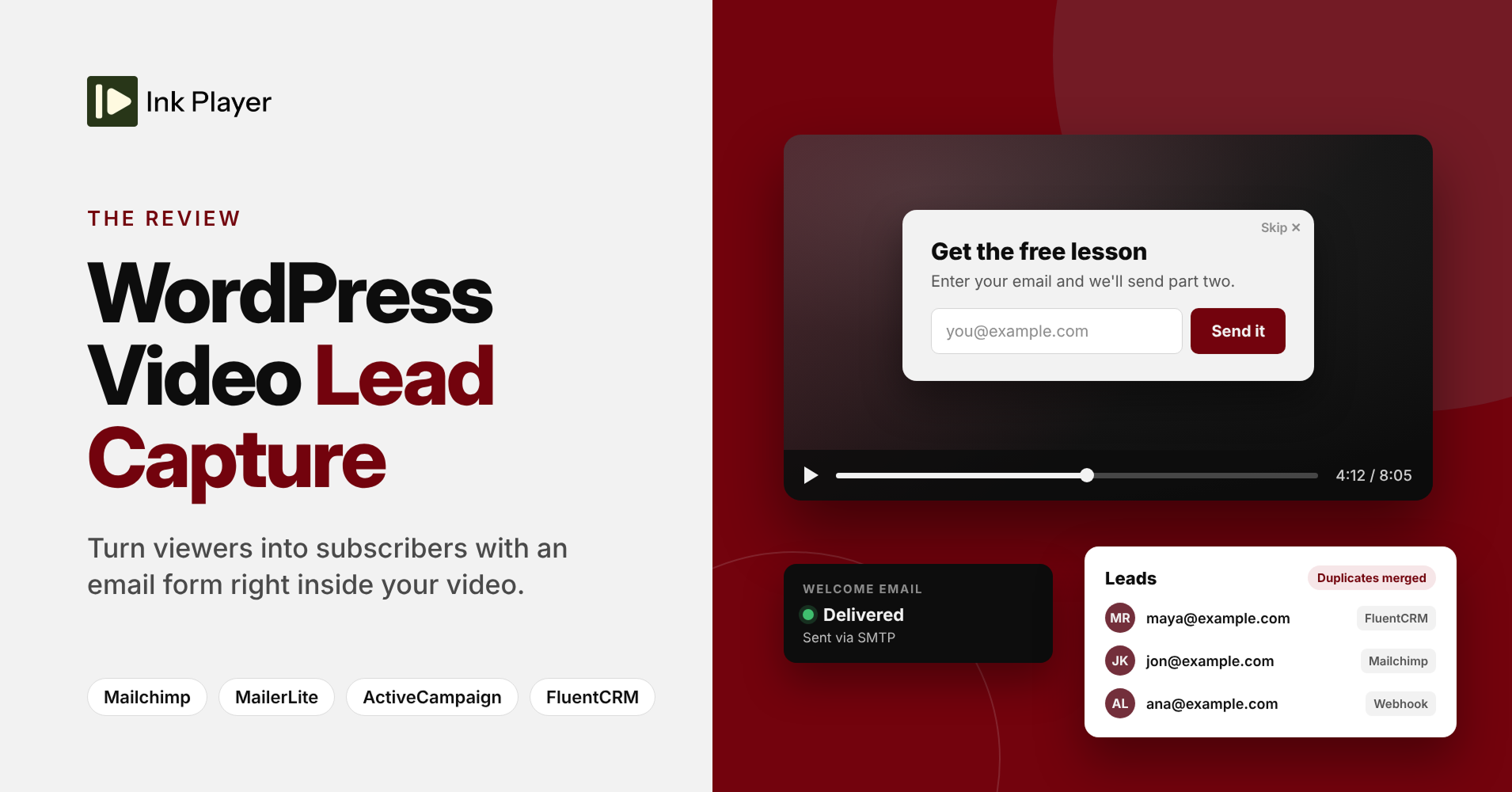
WordPress video lead capture solves the problem by asking for an email inside the player, while the viewer is still interested. Ink Player does this with a built-in email capture overlay, a Leads table that removes duplicates, and direct delivery to Mailchimp, MailerLite, ActiveCampaign, FluentCRM, or any webhook.
We’ll cover how the capture works, where your leads end up, and why email delivery matters once someone signs up.
Key takeaways
- Ink Player collects emails with an overlay that sits on the video itself. You choose when it shows, where it sits, and whether viewers can skip it.
- Every lead lands in one Leads table inside WordPress, with duplicate emails merged into a single record.
- Leads can go straight to Mailchimp, MailerLite, ActiveCampaign, FluentCRM, or a webhook. FluentCRM needs no API key.
- If you send follow-ups with FluentCRM, your WordPress email setup decides whether they arrive. An SMTP plugin like SendGrail handles that part.
- Every Ink Player plan includes lead capture. Plans differ only by the number of sites.
What WordPress video lead capture means
Video lead capture means asking for an email inside the video player instead of somewhere else on the page. The form appears on top of the video, at a moment you pick.
Timing is the whole point. A sidebar form asks everyone, whether they care or not. A form that shows up halfway through a tutorial asks someone who has already invested five minutes in your content.
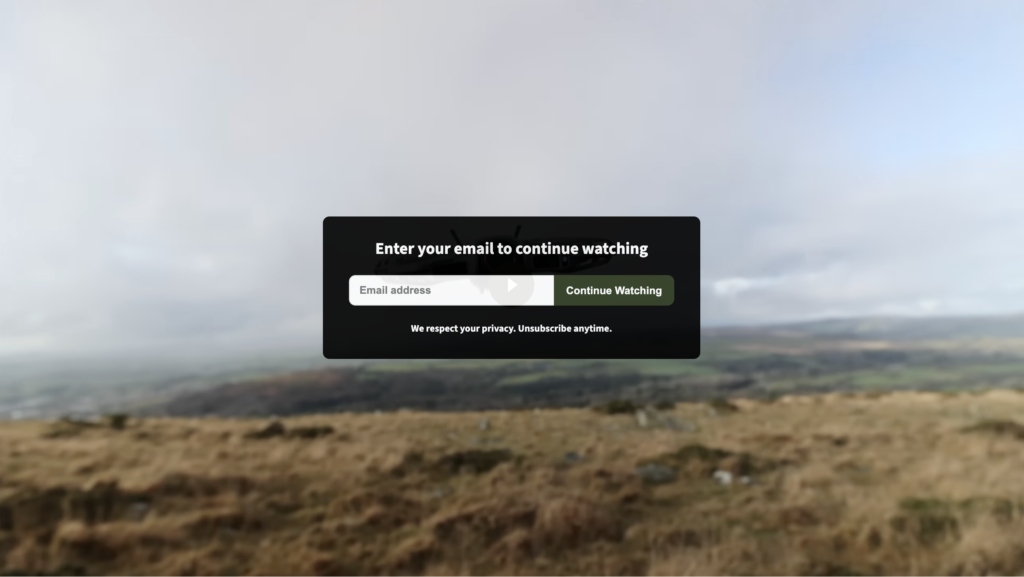
It also keeps the viewer where they are. Nobody has to scroll, find a form, and come back to the video. They type their email, and the video carries on.
The catch is that a lead only has value if your follow-up reaches them. That’s why this review spends time on where leads go after capture, and on how those follow-up emails get delivered.
How Ink Player’s email capture overlay works
Email capture is one of nine overlay types in Ink Player. The others include CTA buttons, text, hotspots, and image banners, so you can mix a signup form with other prompts on the same video.
When it appears
You control the timing. The form can show the whole time, only while the video plays, or only when the viewer pauses. You can also trigger it after a set percentage of the video, inside a percentage range, or inside a time range.
A pause trigger works well for long tutorials, since a pause often means the viewer is taking notes. A trigger at 50% suits product demos, where you want to ask after the viewer has seen the good part.
Where it sits
There are nine placement presets, from corners to center, plus custom X and Y positions. A small corner form feels like a gentle offer. A centered form feels like a clear ask.
Skippable or not
You can make the form skippable, so viewers can close it and keep watching. Turn skipping off when the email matters more than the view, such as a free training that you only want to share with subscribers.
Reuse it everywhere
Ink Player treats each video as a single media record. Set up the overlay once, and every page that shows that video, whether through a block, a shortcode like [ink_player id="123"], a page builder widget, or an embed, uses the same form. You can also save overlays in a preset and apply them to many videos at once.
The Leads table: one email, one record
Every email your videos collect shows up under Ink Player’s Leads screen in WordPress. You don’t need an outside tool to see who signed up.
Ink Player removes duplicate emails automatically. If the same person signs up on three different videos, you get one clean record instead of three rows to merge later.
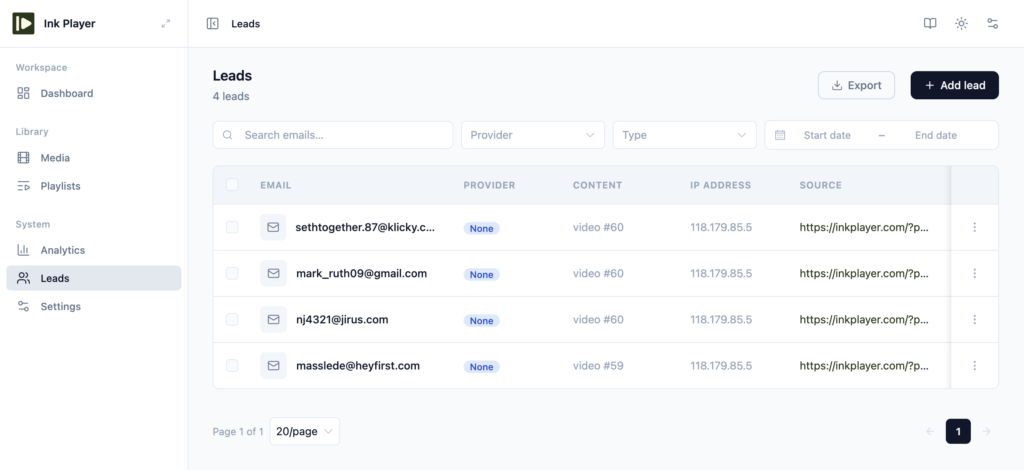
Each lead shows the email, where it was sent, the video it came from, the IP address, the source, and the date. That context helps you see which videos actually pull in subscribers, not just views.
You can also add leads by hand. That’s handy when someone emails you directly after watching, and you want them in the same list as everyone else.
Sending leads to your email tool
A lead sitting in WordPress is only half the job. Ink Player can push each new lead to the tool you already use for email marketing, and to a webhook as well.
| Destination | Where the lead lands | What you need |
|---|---|---|
| Mailchimp | An audience, with optional tags | API key (Mailchimp keys expire after one year) |
| MailerLite | A group | API key |
| ActiveCampaign | A list | API credentials |
| FluentCRM | Your FluentCRM contacts, on the same site | Nothing extra, it runs locally |
| Webhooks | Any URL you choose | The endpoint, plus custom headers if it needs them |
You connect each one under Ink Player → Settings → Integrations. Most cards have a Test connection or Send test button, so you can confirm the setup before a real lead depends on it.
The Mailchimp key expiry is worth a calendar reminder. If the key lapses, new leads still land in the Leads table, but they stop reaching your audience until you add a fresh key.
Webhooks cover everything else. Ink Player can send a POST request with JSON or a GET request with a query string, and the payload includes the event name (lead.captured), email, name, content ID, content type, source URL, and capture time. That’s enough to start a sequence in a CRM or an automation tool that isn’t on the list.
Why email delivery decides whether a lead pays off
Capturing an email is step one. The welcome email, the free lesson, or the discount code you promised is step two, and it has to land in the inbox.
How that email travels depends on the tool you picked. Mailchimp, MailerLite, and ActiveCampaign send campaigns from their own servers, so your WordPress setup doesn’t affect those emails.
FluentCRM works differently. It uses WordPress’s wp_mail() function to send, which means your emails leave through whatever mail setup your WordPress site has.
Out of the box, that setup is usually your web host’s PHP mail. Host mail often lacks proper authentication, so messages can land in spam or never arrive. FluentCRM’s own guide says you need an SMTP plugin to relay emails reliably and recommends a dedicated email service over your hosting server.
This is where SendGrail fits. SendGrail is a free SMTP plugin that routes WordPress email through a proper provider such as Amazon SES, Brevo, Mailgun, Postmark, SendGrid, Google Workspace, or Microsoft Outlook. It logs every email with its delivery status and can switch to a backup provider if the main one fails.
Even if you use Mailchimp for campaigns, your site still sends its own emails through WordPress. Password resets, form notifications, and WooCommerce order emails all depend on wp_mail(), so a solid SMTP setup pays off either way.
Capture your first video lead in 5 steps
You don’t need any code for this. Most people can get a working form live in a few minutes.
- Connect your email tool. Go to Ink Player → Settings → Integrations, open the card for your tool, add your credentials, and run Test connection. FluentCRM users can skip the credentials.
- Open your video. Go to Library → Media and pick the video you want to collect emails on, or add a new one from YouTube, Vimeo, your media library, or a streaming service.
- Add an email capture overlay. Choose where the lead should go, such as a Mailchimp audience or a MailerLite group.
- Set the timing and placement. Pick when the form appears, where it sits, and whether viewers can skip it.
- Save and publish. Click Save in the bottom bar, make sure the video isn’t still a Draft, and place it with the Ink Player block or
[ink_player id="123"].
Then watch the Leads screen. Once a few emails come in, check that they also appear in your email tool. If you use FluentCRM, send yourself a test email to confirm your SMTP setup delivers it.
The rest of Ink Player, briefly
Lead capture is our focus here, but it sits inside a full video and audio player. Here’s the short version of everything else.
One player for every source
Ink Player plays self-hosted uploads, direct MP4, HLS, DASH, and MP3 links, YouTube, Vimeo, Bunny.net, Mux, Cloudflare Stream, and Cloudflare R2. Paste a URL and it detects the source for you. Every video gets the same branded player, whatever the source.
Edit once, update everywhere
Each video lives as one record in the Ink Player library. Blocks, shortcodes, Elementor and Beaver Builder widgets, playlists, and iframe embeds all pull from that record. Change a caption or an overlay once, and every page updates.
Look and feel
You get six video skins and three audio layouts, plus colors, corner radius, and a logo watermark. Presets bundle those choices, so a new video can match your brand in one click. Chapters, captions, a searchable transcript, sticky video on scroll, and a click-to-play popup are all built in.
Playlists
You can build playlists from your library or import them. YouTube imports of up to 100 videos need no API key, and Vimeo imports need an access token. Playlists come in list, grid, and slider layouts.
Analytics
Built-in analytics track views, unique viewers, watch time, and completion rate. They’re off by default, so switch them on under Settings if you want the numbers. They store no IP addresses or location data, and you can send events to Google Analytics 4 with just a Measurement ID.
Access control and WooCommerce
Each video can be public, private to logged-in users, or password protected. If the stream URL itself needs protecting, use Bunny.net, Mux, Cloudflare, or protected uploads, because YouTube and Vimeo can’t be locked down that way. WooCommerce stores can attach videos to products and show them only to buyers once the order is completed.
Migration and automation
Coming from Presto Player or FluentPlayer? The importer brings over your videos, overlays, and email gates, plus the emails you’ve already collected, and you can undo it in one click. For automation, AutomatorWP can trigger actions when someone submits a lead or finishes a video.
Pricing
Every Ink Player plan includes every feature, lead capture included. The only difference is how many sites you can use it on.
Starter covers 1 site for $149 lifetime or $79 a year. Pro covers 10 sites for $299 lifetime or $159 a year, and Agency covers 30 sites for $499 lifetime or $299 a year.
Lifetime plans get updates for life, and annual plans get a year of updates. All plans come with a 30-day money-back guarantee. Prices can change, so confirm the current numbers on the Ink Player pricing page.
Frequently asked questions
How do I collect emails from a WordPress video?
Add an email capture overlay to the video in a player plugin that supports it, like Ink Player. You choose when the form appears and where it sits. Each signup lands in the plugin’s Leads table and can go straight to your email marketing tool or a webhook.
Does Ink Player work with FluentCRM?
Yes. FluentCRM runs on the same WordPress site, so Ink Player sends leads to it without an API key. Because FluentCRM sends email through wp_mail(), pair it with an SMTP plugin such as SendGrail so your follow-ups reach the inbox.
Do I need an SMTP plugin if I use Mailchimp?
Not for your Mailchimp campaigns, since Mailchimp sends them from its own servers. Your site still sends its own emails, like password resets, form notifications, and order emails, through WordPress. An SMTP plugin keeps those reliable.
Will the same person show up twice if they sign up on two videos?
No. Ink Player merges duplicate emails into one record in the Leads table. You see a single contact instead of cleaning up repeats later.
Can I send leads to a tool Ink Player doesn’t list?
Yes, through webhooks. Ink Player can send each lead as a JSON POST or a GET request to any URL, with custom headers if needed. Most CRMs and automation tools can accept that.
Verdict: is Ink Player right for WordPress video lead capture?
If your videos should grow an email list, Ink Player does the job well. The overlay gives you real control over timing, the Leads table keeps your list clean, and leads flow straight into Mailchimp, MailerLite, ActiveCampaign, FluentCRM, or a webhook.
It suits course creators, membership sites, product teams, and agencies who want lead capture in the same plugin as their player. FluentCRM users get the tightest setup, since everything stays on one site with no API keys. Just add an SMTP plugin like SendGrail so the follow-ups arrive.
You might wait if your course platform depends on a specific LMS integration, since those aren’t documented yet, so check with the Ink Player team first. The same goes if your content needs locked-down streaming but has to stay on YouTube or Vimeo.
Ready to turn viewers into subscribers? Get Ink Player to see the email capture overlay in action.